Vigile
SearchContents

Planning and coordination for people and AI agents

People and agents, working from one plan.

When agents do real work beside people, the plan is what they all share. Vigile holds it as one graph of outcomes, dependencies, responsibility, state and history, changed only through checked operations: true enough to act on, and open for an agent to inspect and improve.

Use today

One service, on your machine

For coordinating several agents and people. MCP, HTTP, a command line, a board, a graph and a history; quiet claims and automatic backups. Version 0.1.0: no TLS, no access by team.

Direction · not built, no dates

A control plane for people and agents

The same graph and operations could carry one plan across teams and tools: access by team, a hosted service, an observer of plan health. None of it is built.
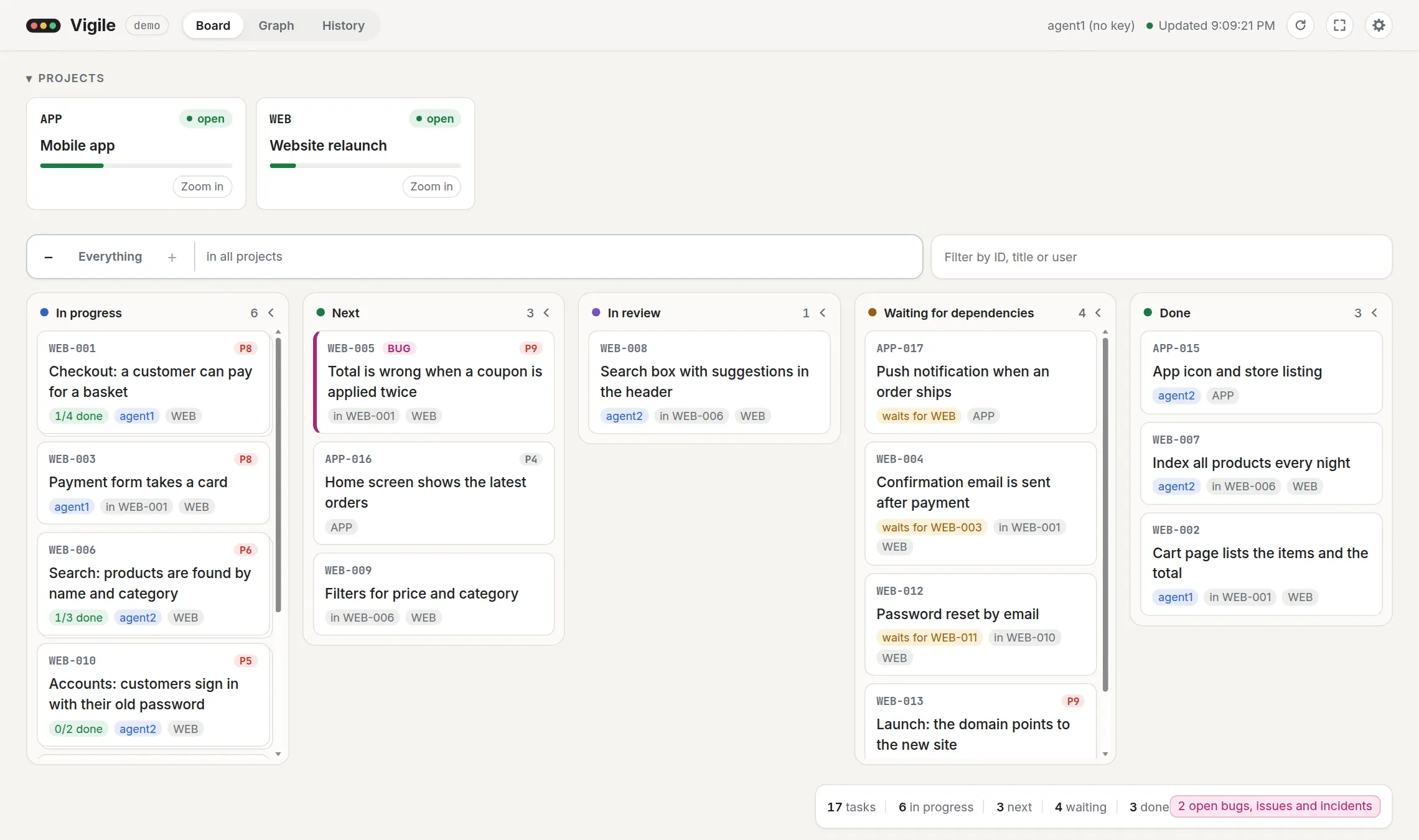
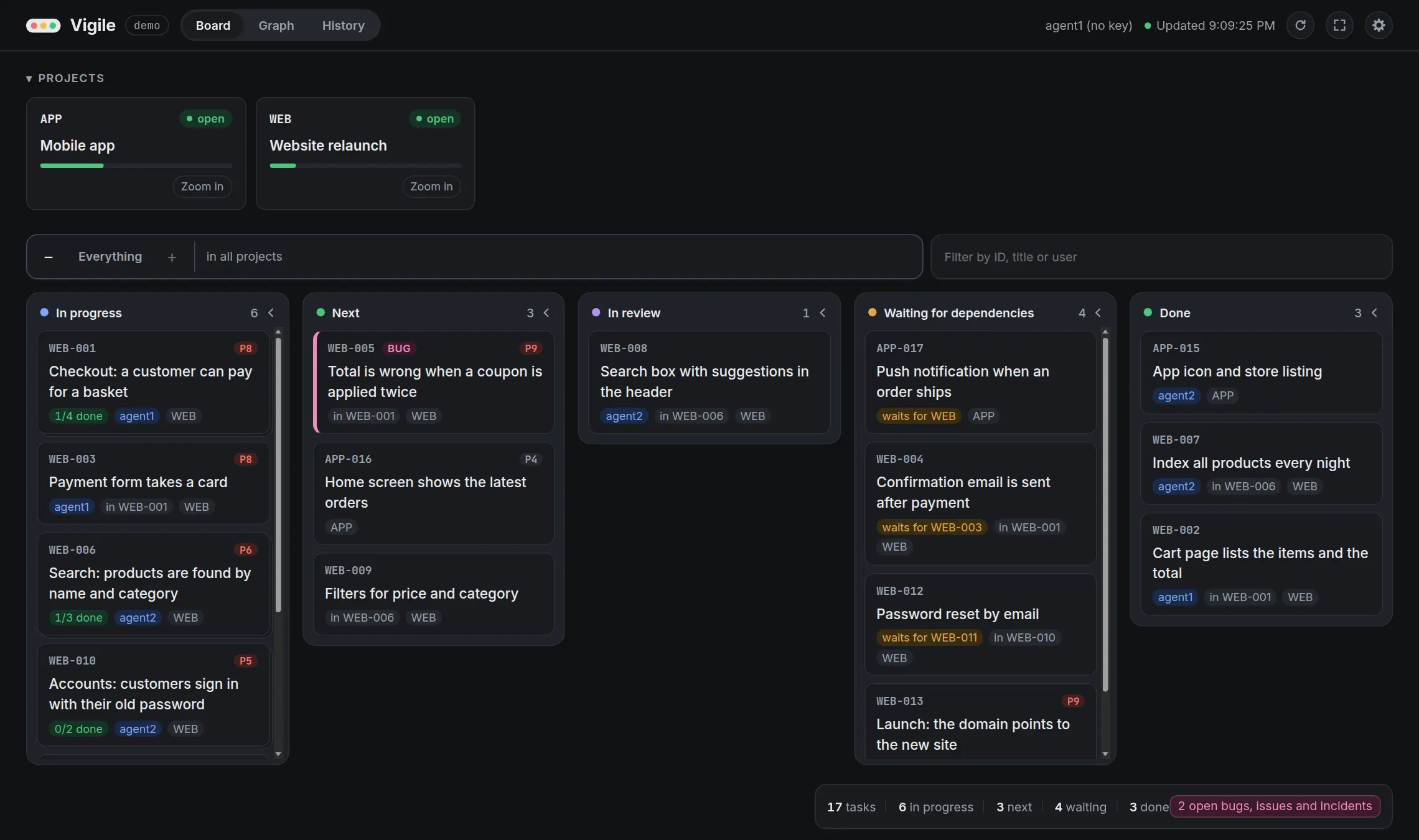
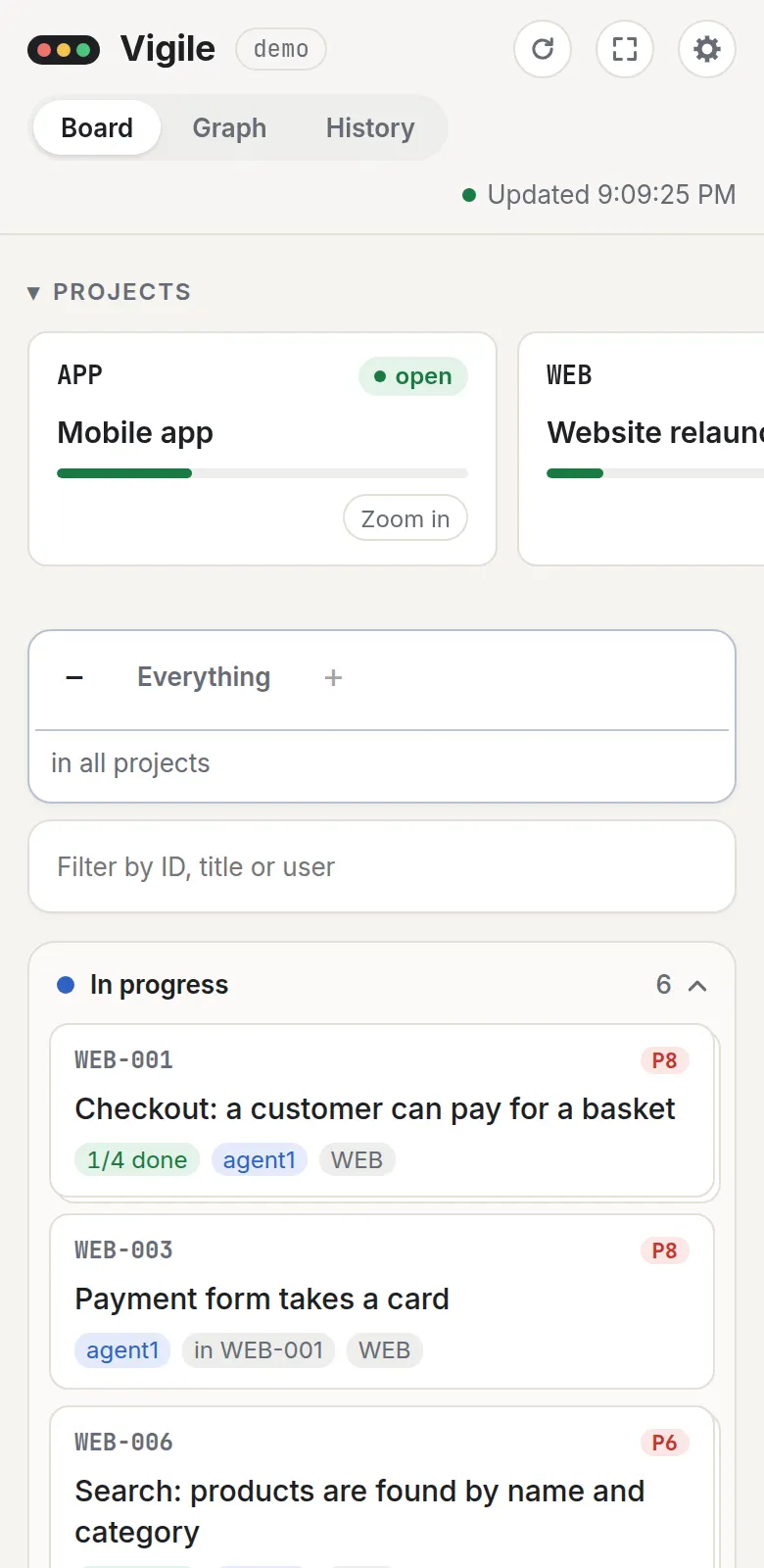
The board of Vigile. Two projects at the top, each with its progress. Below, the tasks of two made-up projects in columns by state: in progress, next, in review, waiting for dependencies and done. A card names what a task waits for, who has it and which group it is in.The board of Vigile. Two projects at the top, each with its progress. Below, the tasks of two made-up projects in columns by state: in progress, next, in review, waiting for dependencies and done. A card names what a task waits for, who has it and which group it is in.
The board, with a made-up plan: what is in progress, what is next, what waits and for what. Every picture on this site shows made-up data.
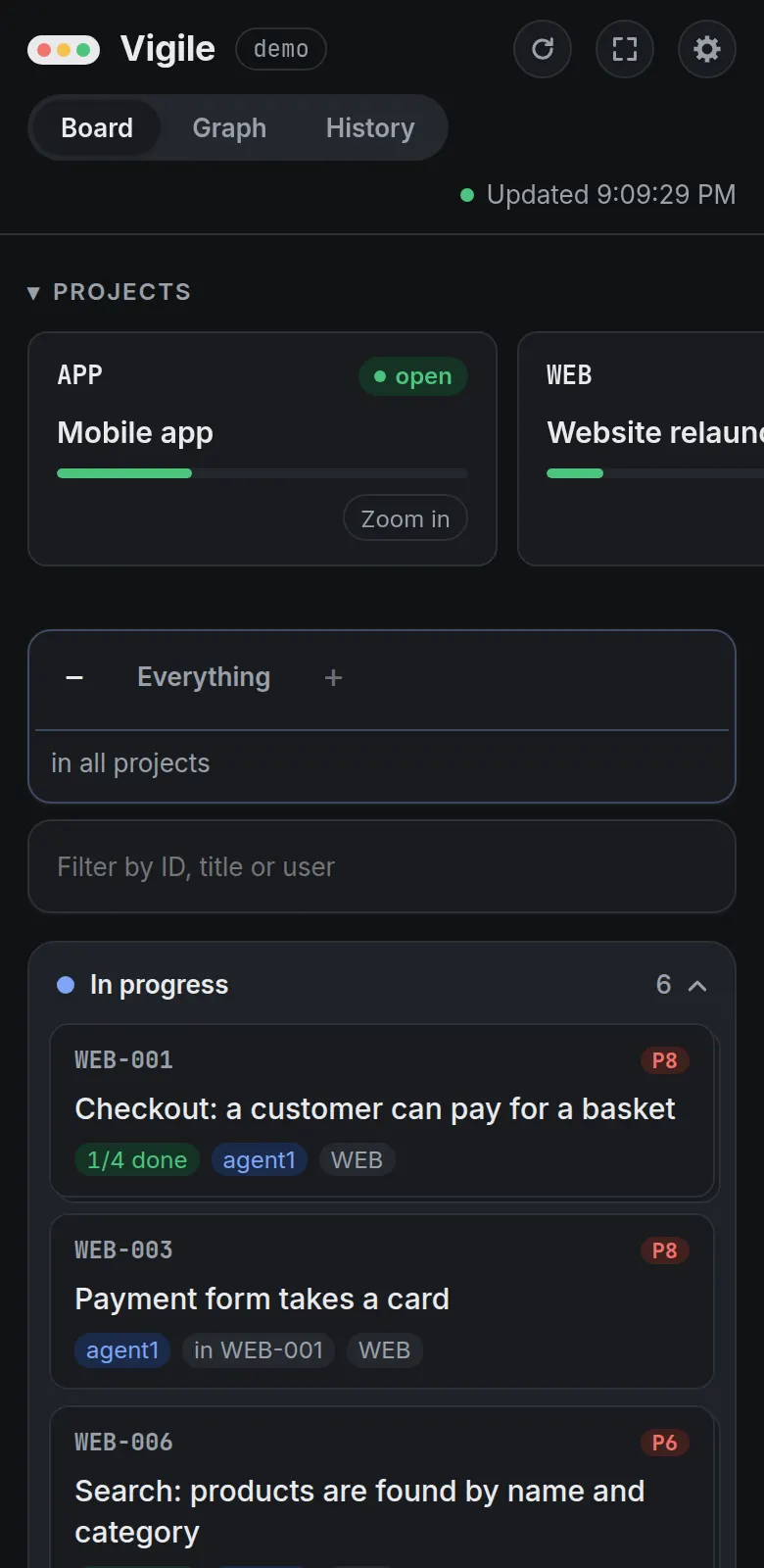
The same board on a phone: the projects in a row that scrolls sideways, then the columns one under the other.The same board on a phone: the projects in a row that scrolls sideways, then the columns one under the other.

Today · why not a list of issues, or a file of notes

Three things a list does not do for you.

what can start now

It works out what can start

Say what depends on what and set priorities on areas and tasks. Vigile follows the active path from outermost group to task, holds work back for unfinished dependencies or inactive containers, and answers "what can I do next?" each time it is asked.

How next and waiting are worked out

Next and waiting, worked out from statuses and links Four tasks in a chain of dependencies. Stored: WEB-002 is done; WEB-003, WEB-004 and WEB-013 are open. Worked out on every read: WEB-002 is finished, WEB-003 is next, WEB-004 waits for WEB-003, and WEB-013 waits for WEB-004. STORED: STATUSES AND LINKS WEB-002 Cart page status: done WEB-003 Payment form status: open WEB-004 Confirmation email status: open WEB-013 Launch status: open WORKED OUT ON EVERY READ finished next: can start waiting for WEB-003 waiting for WEB-004 Finish WEB-003, and WEB-004 is next for whoever asks after that. No flag was updated, because there is none: only the status of WEB-003 changed.

refusals

It refuses a wrong move, and says what to do

Starting a task whose dependency is unfinished, closing a group over open work, a jump of status the rules do not allow: each is refused, and the refusal says why, and what would resolve it, for a person to read or an agent to follow.

The rules, and what a refusal carries

$ vigile set-task-status --id WEB-003 --version 1 \
    --status in_progress --as agent1

✗ Task WEB-003 cannot be started: it is waiting for a
  dependency to finish.
  · WEB-002  Cart page lists the items and the total  open
  → Finish or cancel the items it depends on.
  → Or call remove_link with type "depends on" if the
    dependency no longer applies.
  → Or call list_next_tasks to pick work that can start now.

versions

Two agents cannot take the same task

Changing a task names the version the change was based on. Of two agents that start the same task, one is refused. Assigned work quiet for 24 hours can be listed for attention, but is never silently taken away.

Versions, conflicts and history

Two agents start the same task: one wins, one gets a conflict agent1 and agent2 both read task WEB-005 at version 1. agent1 sets it to in progress, naming version 1: the change is made and the task is at version 2. agent2 then sends the same change, naming version 1, and is refused with a version conflict that carries the task as it is now. agent1 Vigile agent2 get WEB-005 get WEB-005 open, version 1 open, version 1 start it, based on version 1 done: in progress, version 2 WEB-005 is at version 2 start it, based on version 1 version_conflict with the task as it is now: in progress, version 2, agent1

And it keeps the plan in sight

See the work without asking the agents.

The whole plan in one picture, grouped into areas, with its dependencies, its work in progress and its priorities, also shows how the work is cut: tasks that belong to no group, a group grown too wide, too many unrelated things started at once. An agent can read the same plan through the same lists.

  • Groups, as deep as the work

    A task that contains tasks is a group, and reports how far along it is. Groups

  • Contradictions are flagged

    Reopen a dependency after the work that needed it went on, and the task and its project say so. Problems

  • Who changed what, and when

    A task and a project keep what was done to them and each status they went through. History

  • A board, a graph and a history

    Zoom the board into a project or through nested groups, filter it, read who changed what across the plan, inspect an item and adjust task priority. Every view, selection, item and zoom has an address. The web page
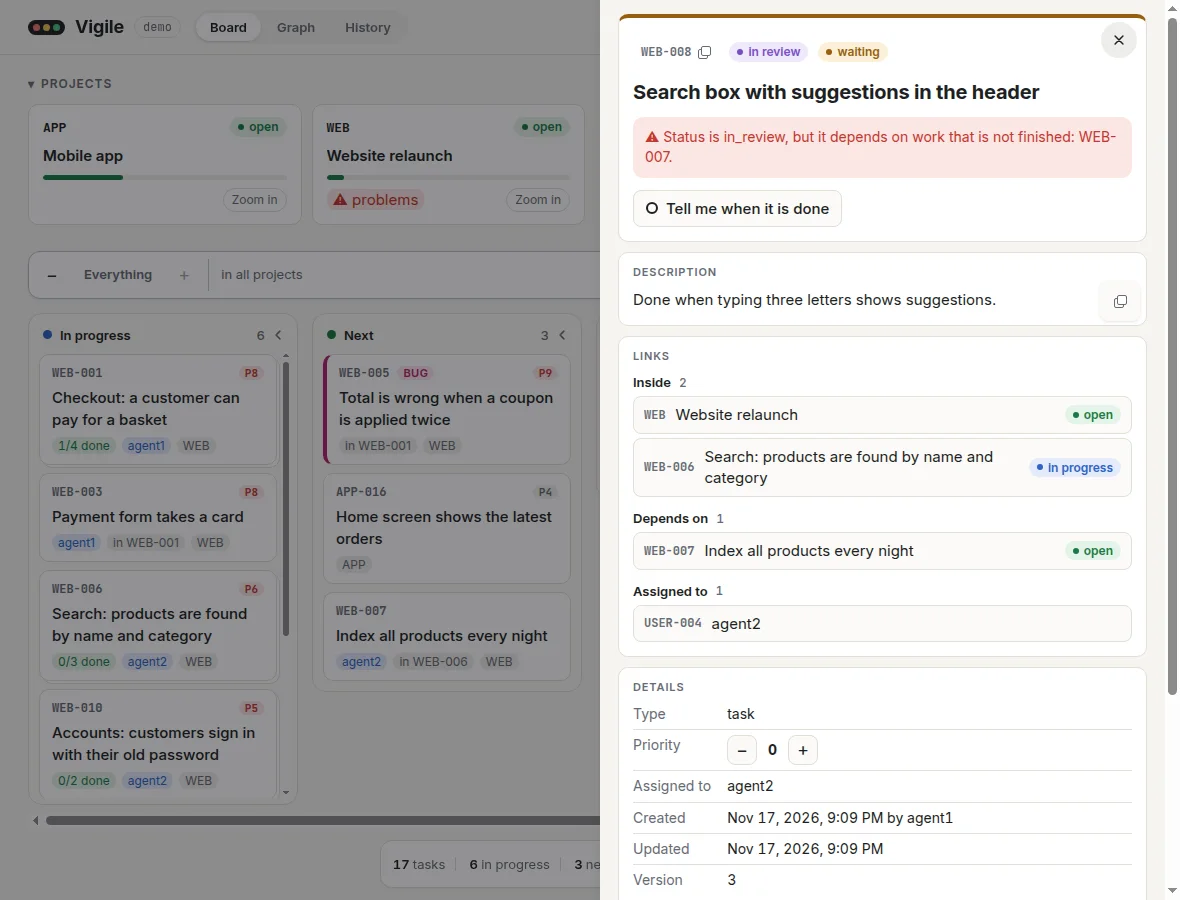
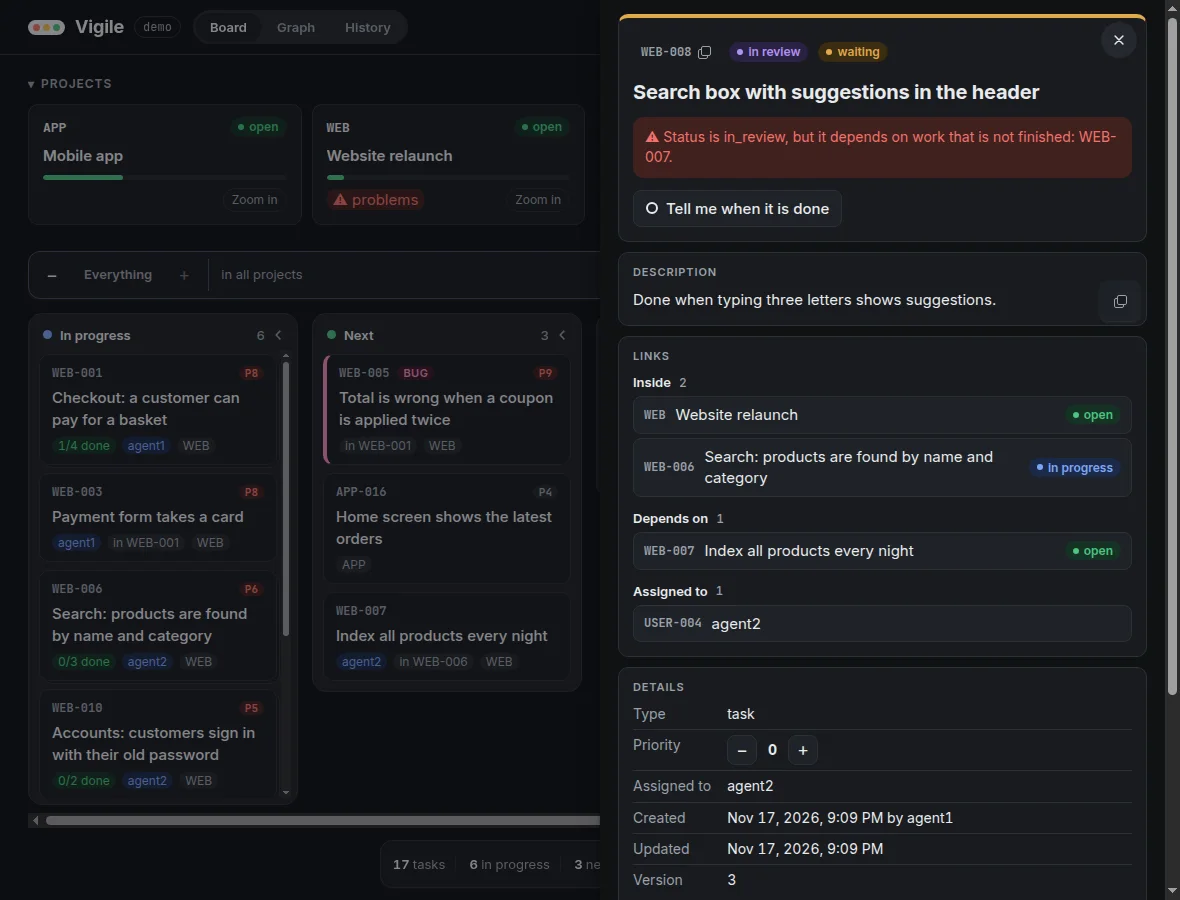
A task that is in review although the task it depends on was reopened. Its panel says: status is in_review, but it depends on work that is not finished. Behind the panel, the card of its project carries a warning.A task that is in review although the task it depends on was reopened. Its panel says: status is in_review, but it depends on work that is not finished. Behind the panel, the card of its project carries a warning.
A contradiction, flagged: this task went to review, and then the task it depends on was reopened.
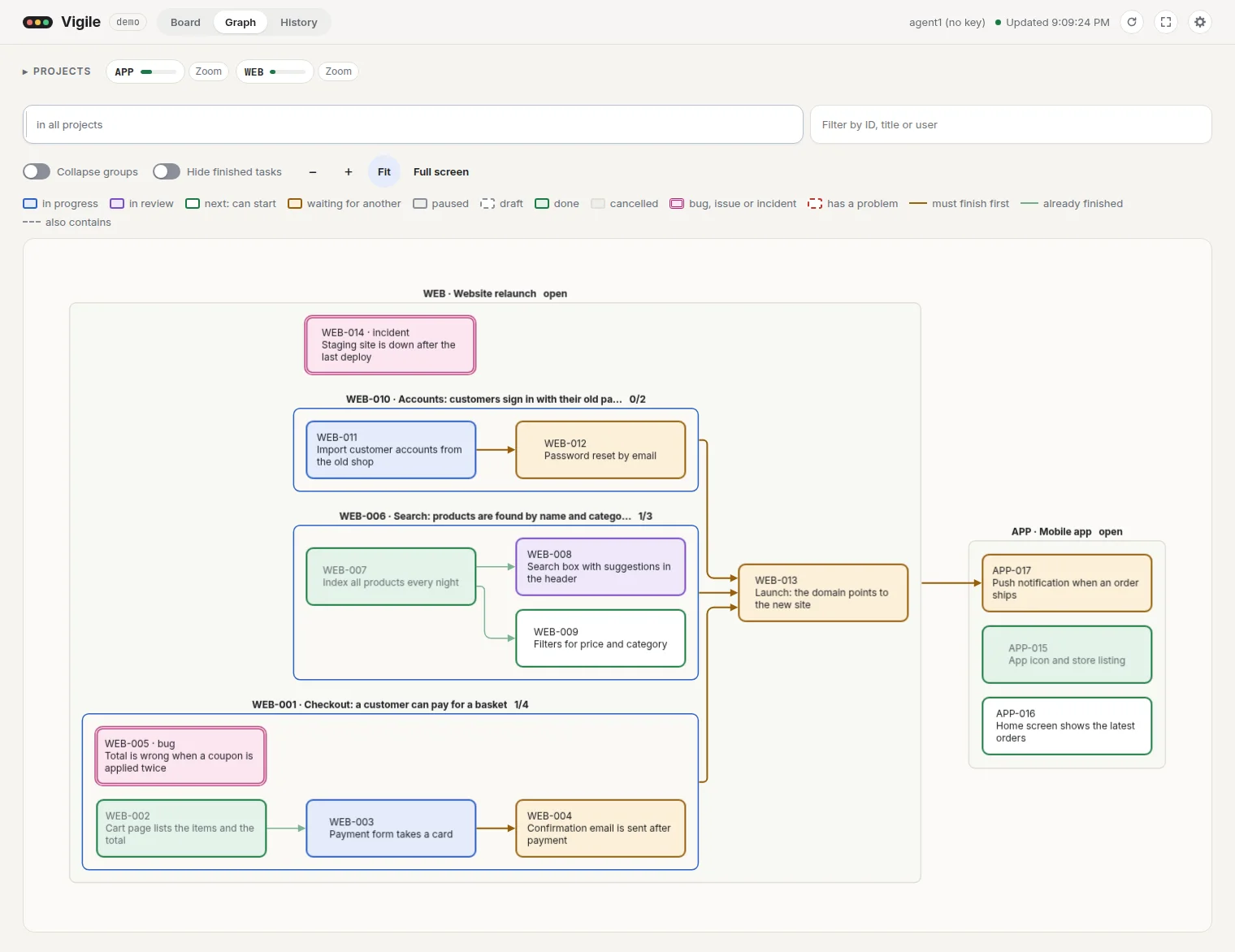
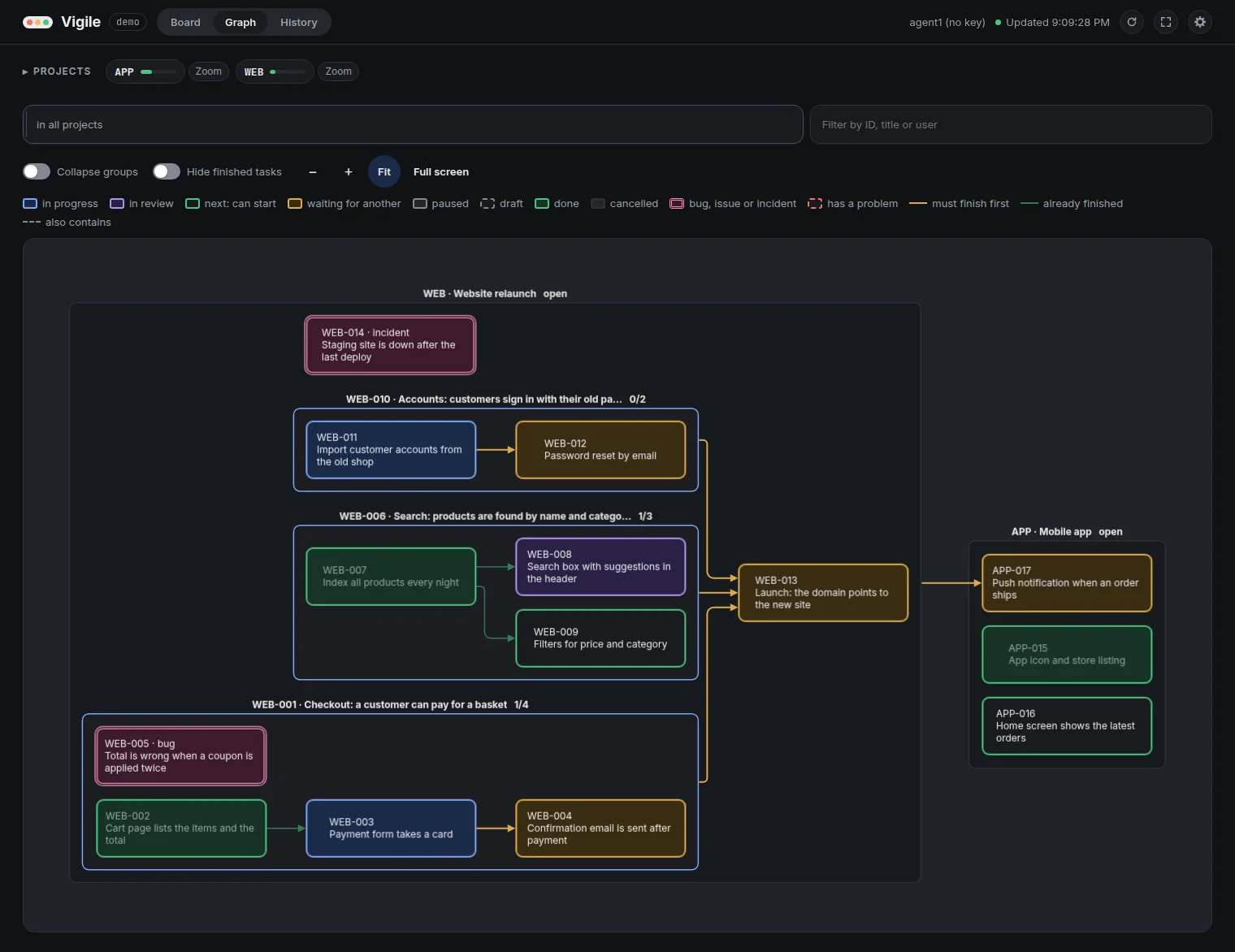
The graph view. A box for each project and inside it a box for each group, with the tasks coloured by state. Arrows run from each task to the tasks that wait for it, and from three groups to the launch that waits for all of them.The graph view. A box for each project and inside it a box for each group, with the tasks coloured by state. Arrows run from each task to the tasks that wait for it, and from three groups to the launch that waits for all of them.
The graph: groups as boxes, and an arrow from each task to what waits for it.

One plan, four ways in

A tool, an endpoint and a command, under the same rules.

Each of the 21 operations is defined once and offered as an MCP tool for agents, an HTTP endpoint for programs and a command for you. The page reads through the same operations, so a change made one way shows for all.

Four ways into one service AI agents reach the service over MCP at /mcp. Programs call the HTTP API at /api, and so does the vigile command line. People open the web page, which reads through the API. All of them arrive at one engine, where every operation is defined once with its input, rules and refusals. The engine keeps the plan in one data folder, in SQLite. AI agents tools, over MCP Programs JSON, over HTTP You, and scripts the vigile command People a browser /mcp /api/<operation> / the page reads The engine: every operation, defined once its input, its rules, its refusals, and who may call it ONE SERVICE: ONE PROCESS, ONE PORT One data folder the plan, in one SQLite file

Try it in two minutes

One process. One folder. Yours.

It needs Node.js 22.13 or later and pnpm. No database server and no account. It listens on 127.0.0.1, sends nothing anywhere, and takes a backup every 24 hours by default.

Install and first run, step by step

  1. Get it and build it.

    git clone https://github.com/dluc/vigile.git ~/code/vigile
    cd ~/code/vigile
    pnpm install
    pnpm build
  2. Create an instance and start it.

    cd ~/code/vigile
    bin/vigile config init --config ~/vigile/main/config.toml --name main
    bin/vigile serve --config ~/vigile/main/config.toml
  3. Open the board, and point an agent at the plan. serve prints where everything is:

      MCP      http://127.0.0.1:8700/mcp
      Web      http://127.0.0.1:8700/
      API      http://127.0.0.1:8700/api

Today · said plainly

What it does not do.

  • No comments, attachments or due dates.
  • No access by team or by project: whoever is let in can change the whole plan.
  • No general editing in the browser: only a task's priority has −/+ controls.
  • No hosted service, and no import, export or links to other tools.
  • No TLS of its own, and it does not install itself as a service: you keep the process running.

Vigile is new: version 0.1.0, developed and tested on Linux, under the MIT licence. Where it could go, and why that is credible, is on the vision, marked as direction.

Install itHow it works